

01 · Four monitors, one app
How TempPro Bluetooth hygrometers differ
These humidity monitors measure the temperature and relative humidity of the air around them. Readings appear on each unit's display and transfer over Bluetooth to TempPro Sensor. The app saves a history, so you can see when humidity rose and how long it stayed elevated. [1] [2] [3] [4] [5]
All four models can record a history. The differences are in the body, display and controls. The TP350 and TP359 show temperature and humidity highs and lows, labeled HIGH and LOW, alongside current readings. The TP358 shows the time and date; the TP357 omits those extra readings.
| Feature | TP350 | TP357 | TP358 | TP359 |
|---|---|---|---|---|
| Temperature and humidity display | Yes | Yes | Yes | Yes |
| Highs and lows on the display | Yes; period not specified in the manual | No | No | 24 hours |
| Backlight | Yes, for 10 seconds | No | Yes, for 10 seconds | Yes |
| Time and date | No | No | Yes, synced with the phone | No |
| Trend arrows | No | No | Yes | Yes |
| AAA batteries | 2 | 1 | 2 | 2 |
| Body dimensions, mm | 79 × 67 × 27 | 55.5 × 54 × 17.5 | 66.5 × 89 × 22.5 | 82 × 104 × 22.5 |
Table sources: the four model manuals and TempPro product pages. On-screen highs and lows show the extremes; the app graph lets you see when they occurred. A promotional image for the TP350 specifies 24 hours, but its manual does not define the period. This comparison therefore does not describe the TP350's records as daily records. [1] [2] [3] [4] [6]
02 · Recording without a phone
20 days without a phone connection, up to two years in the app
The TP350, TP357, TP358 and TP359 store 20 days of readings without connecting to a phone. In its support articles for these models, TempPro recommends connecting to the unit over Bluetooth at least once every 20 days to transfer data to the app. [7]
TempPro Sensor stores up to two years of history. You can export it as a CSV file and open it in Excel or another spreadsheet program. The manufacturer confirmed the storage period and CSV export for all four models in a response to Aridalia's editorial inquiry received on November 5, 2026. [5]
The TP350 and TP358 manuals and the Android app description specify one year of history. The period of up to two years comes from the manufacturer's later response to Aridalia. [1] [3] [5] [8]
03 · Connection and alerts
When alerts work and how to connect a phone
In TempPro Sensor, you can set upper and lower temperature and humidity limits. The app alerts you when readings cross those limits. These alerts work only while the app is open. In response to Aridalia's editorial inquiry, the manufacturer confirmed that alerts do not arrive while the app is in the background or closed. To receive new readings, the phone must be connected to the unit over Bluetooth. [5] [8]
All four models have a claimed range of up to 260 feet, or 80 meters. This comes from the manufacturer's testing at 77 °F (25 °C), with no obstacles or electromagnetic interference. Walls and floors reduce the working range, so that distance does not apply to every home. These units have no Wi-Fi: they cannot send new readings or alerts over the internet while you are in another city. [6]
To connect, install TempPro Sensor for iPhone or the Android version, turn on Bluetooth and add the unit through Add Device. The manuals recommend making the first connection close to the sensor. The app was previously called ThermoPro Sensor; the app stores retain a note explaining the name change. [1] [2] [3] [4] [8]
04 · Readings without the app
Each model's display and buttons
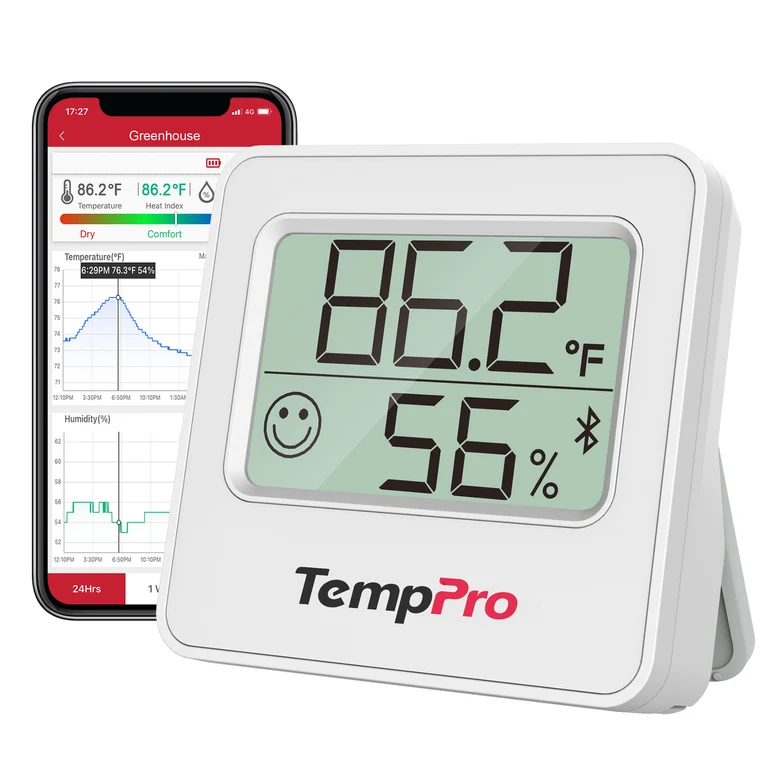
TP357 shows current temperature and humidity, a comfort indicator and a Bluetooth icon. Its body is smaller than the other three according to the manufacturer's dimensions. A rear button switches between °C and °F. You need the phone to view history; this model has no backlight. [2] [6]
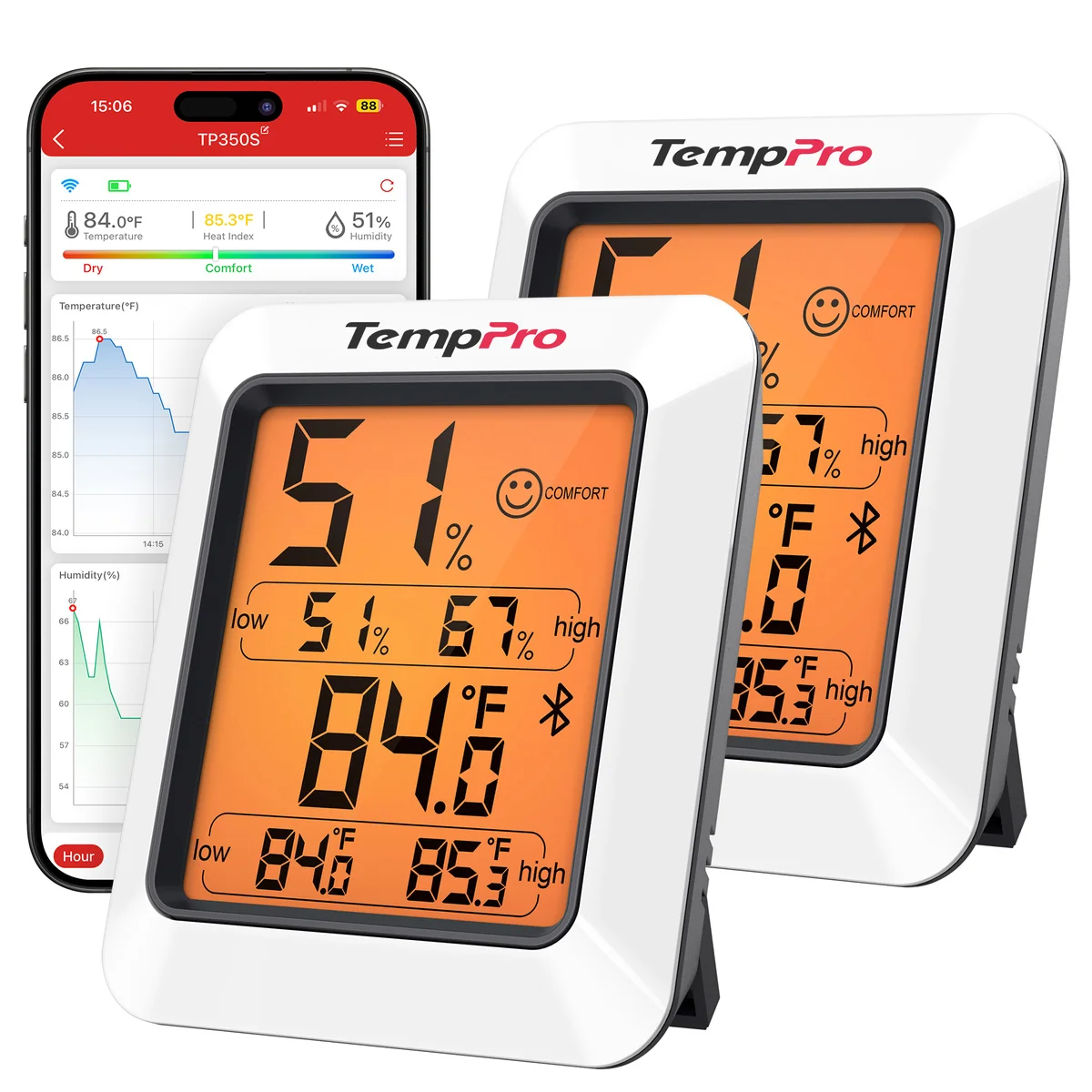
TP350 displays the highest and lowest temperature and humidity readings. Touching the TempPro logo turns on the backlight, which goes out after 10 seconds without a button press. To clear HIGH/LOW, hold the rear °F/°C/Clear button for three seconds. [1]
I use two TP350 units: one on the balcony and one in a room. Both are connected to my phone. Anywhere within my apartment, I can open the app at any time and check the temperature and humidity from either sensor. My units do have a backlight.
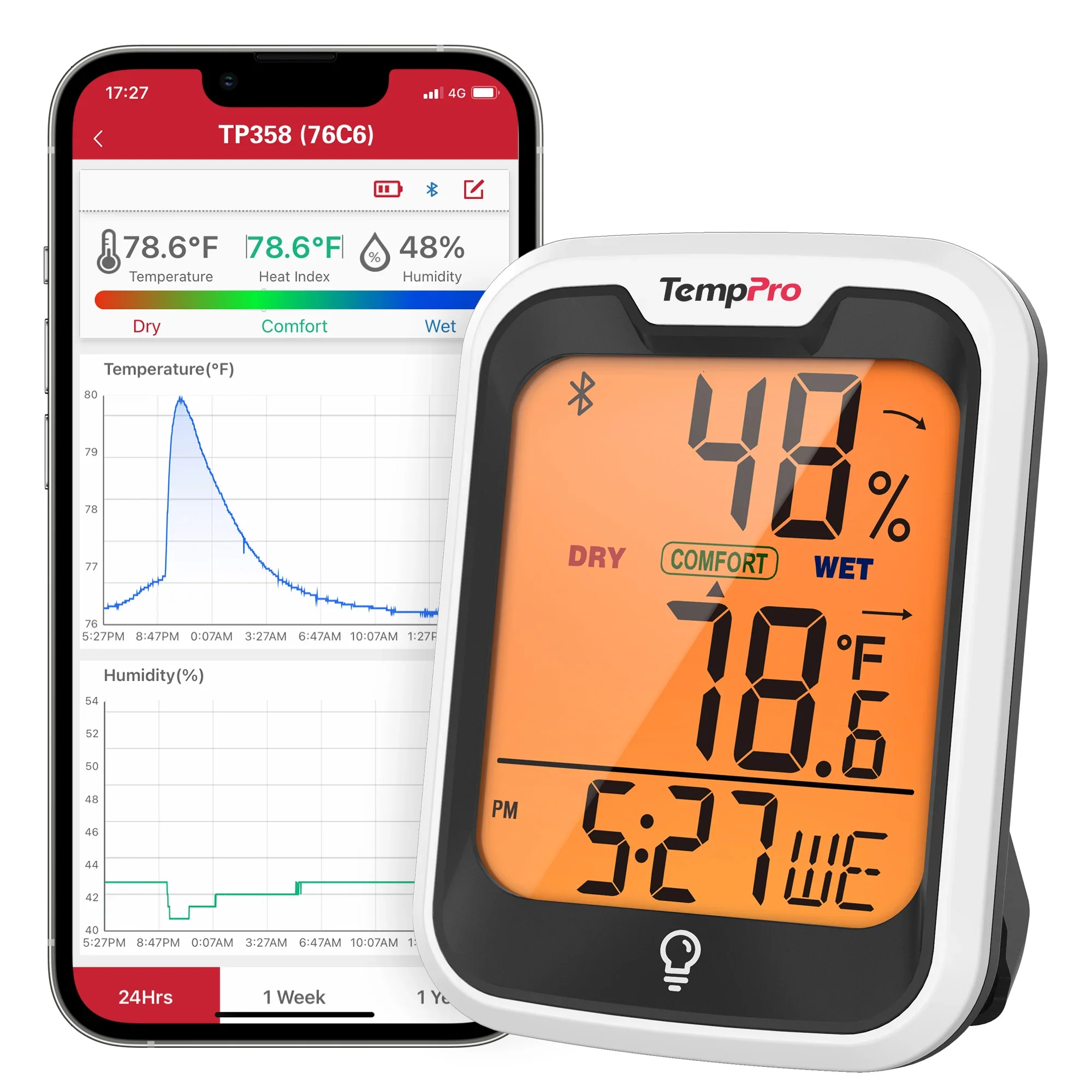
TP358 shows the time and date alongside temperature and humidity. The clock and date sync with the phone over Bluetooth. The front light button switches on the backlight; it goes out after 10 seconds. Arrows beside the readings indicate an increase, a decrease or no change. [3]
TP359 shows the highest and lowest temperature and humidity over 24 hours. Holding the front CLEAR button for two seconds resets these records. The °C/°F, Bluetooth and backlight controls are also on the front. It is a convenient choice for daily extremes on the unit itself and access to the buttons from the front. [4]
All four models have a fold-out kickstand for a shelf or desk, a magnet and a hanging hole. Our humidity sensor guide explains how to choose a measurement location. [1] [2] [3] [4]
05 · Reading the specifications
What the accuracy claims tell us
All four models measure temperatures from -4 to 140 °F (-20 to 60 °C) and relative humidity from 10 to 99%. RH means relative humidity: the amount of water vapor in the air relative to saturation at the same temperature. [1] [2] [3] [4]
TempPro's specification tables claim humidity accuracy of ±2 percentage points: at 20-80% RH for the TP350, TP358 and TP359, and at 30-80% RH for the TP357. Outside those intervals, the claimed accuracy is ±3 points. At a reading of 50%, ±2 percentage points corresponds to 48-52%. [6]
The documents also conflict. For the TP358, a comparison table on the site narrows the ±2-point interval to 30-80% RH. For the TP359, promotional copy claims temperature accuracy of ±0.5 °F, while the manual and specification table give ±0.9 °F (±0.5 °C) from 32 to 140 °F (0 to 60 °C). These sources do not establish which of the four models is the most accurate. [4] [6]
A graph shows both how high humidity rose and how long it stayed there. A maximum of 65%, for example, might represent a brief rise or several hours. A history with a time scale distinguishes those cases. To compare readings over weeks and months, keep the sensor in one place and note changes to air-conditioning or dehumidifier operation. After you move the sensor to another room, the graph reflects conditions in the new location.
06 · Choosing for your needs
Which model to choose
If you want history on your phone and only need current readings on the unit, choose the TP357: a compact body and one AAA battery. The TP350 adds a backlight and HIGH/LOW on the display. Choose the TP358 if you want the time and date next to the readings. The TP359 offers daily HIGH/LOW records and front buttons.
The storage periods are the same for all four: 20 days of readings without a phone connection and up to two years of history in the app. If you do not need history on your phone, compare the TempPro TP49, TP50 and TP55 room hygrometers.
TempPro provides a one-year limited warranty, extended to three years after registration. If you do not register, the basic one-year warranty still applies. A warranty claim requires proof of purchase. [9]
Links lead to product pages in TempPro's US store. The number of units in a pack depends on the selected order option.
07 · Quick answers
Questions about Bluetooth humidity monitors
Does the phone need to stay nearby?
No. The TP350, TP357, TP358 and TP359 store 20 days of readings without a phone connection. To transfer data to the app without gaps, TempPro recommends connecting to the unit at least once every 20 days. The app stores up to two years of history.
Will a high-humidity alert arrive while the app is closed?
No. The manufacturer confirmed that alerts for temperature or humidity outside your set limits work only while the app is open. They do not arrive while it is in the background or closed. A Bluetooth connection to the unit is required to receive new readings.
Can I export the history to a spreadsheet?
Yes. The manufacturer confirmed CSV export for all four models. You can open that file in Excel or another spreadsheet program.
What is the difference between the TP358 and TP359?
The TP358 shows the time and date, synced with the phone. The TP359 instead shows the highest and lowest temperature and humidity over 24 hours and has front controls. Both have a backlight and history in the app.
08 · Basis of this comparison
Sources and verification
The TP350 experience described here comes from my two units. The specification comparison uses the four model manuals, TempPro's US product pages, support articles and the manufacturer's response to Aridalia. The main source check was completed on November 5, 2026; specifications on the site were checked again on November 6.
- TP350 manual (PDF), 350-V20260424 EN: display, backlight, controls, power and connection.
- TP357 manual (PDF), 357-V20260427 EN: display, button, power and connection.
- TP358 manual (PDF), 358-V20260528 EN: time, date, backlight, power and connection.
- TP359 manual (PDF), 359-V20260528 EN: 24-hour HIGH/LOW, front buttons, power and connection.
- TempPro's response to Aridalia's editorial inquiry, prepared on November 2, 2026 and received on November 5: confirms 20 days of readings without a phone connection, up to two years of history in the app, CSV export and alerts for temperature or humidity outside set limits only while the app is open, for the TP350, TP357, TP358 and TP359.
- Current TP350, TP357, TP358 and TP359 product pages: dimensions, specifications and range conditions. Manufacturer images are used with permission.
- TempPro's model-specific support articles, “How long can it store data for?”, for the TP350, TP357, TP358 and TP359: synchronization interval. Versions saved on October 30, 2026 were used.
- TempPro Sensor in the App Store and Google Play: platforms, app name, history and alerts for readings outside set limits.
- TempPro warranty and product registration.