

01 · What changes between models
TempPro TP49 vs TP50 vs TP55: features
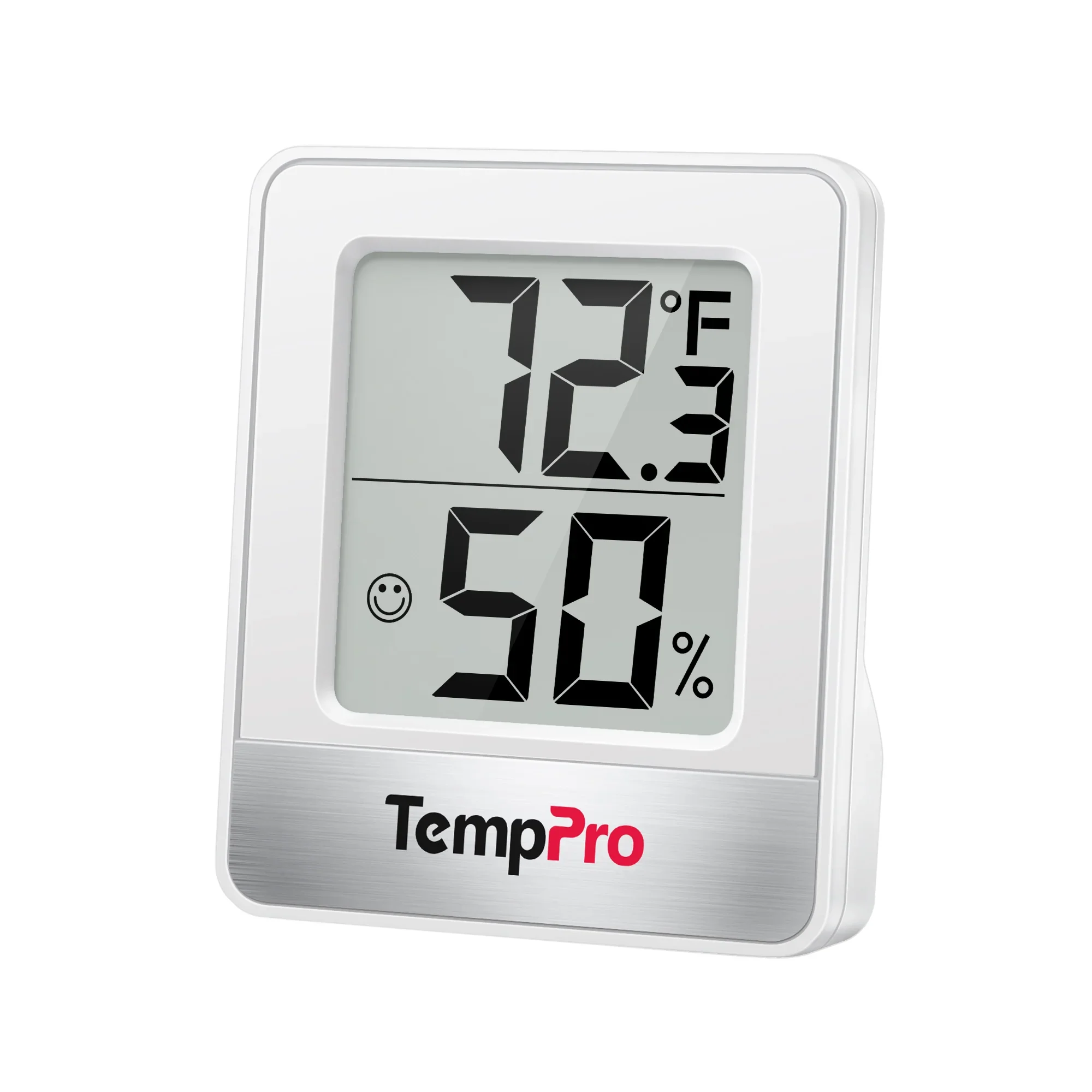
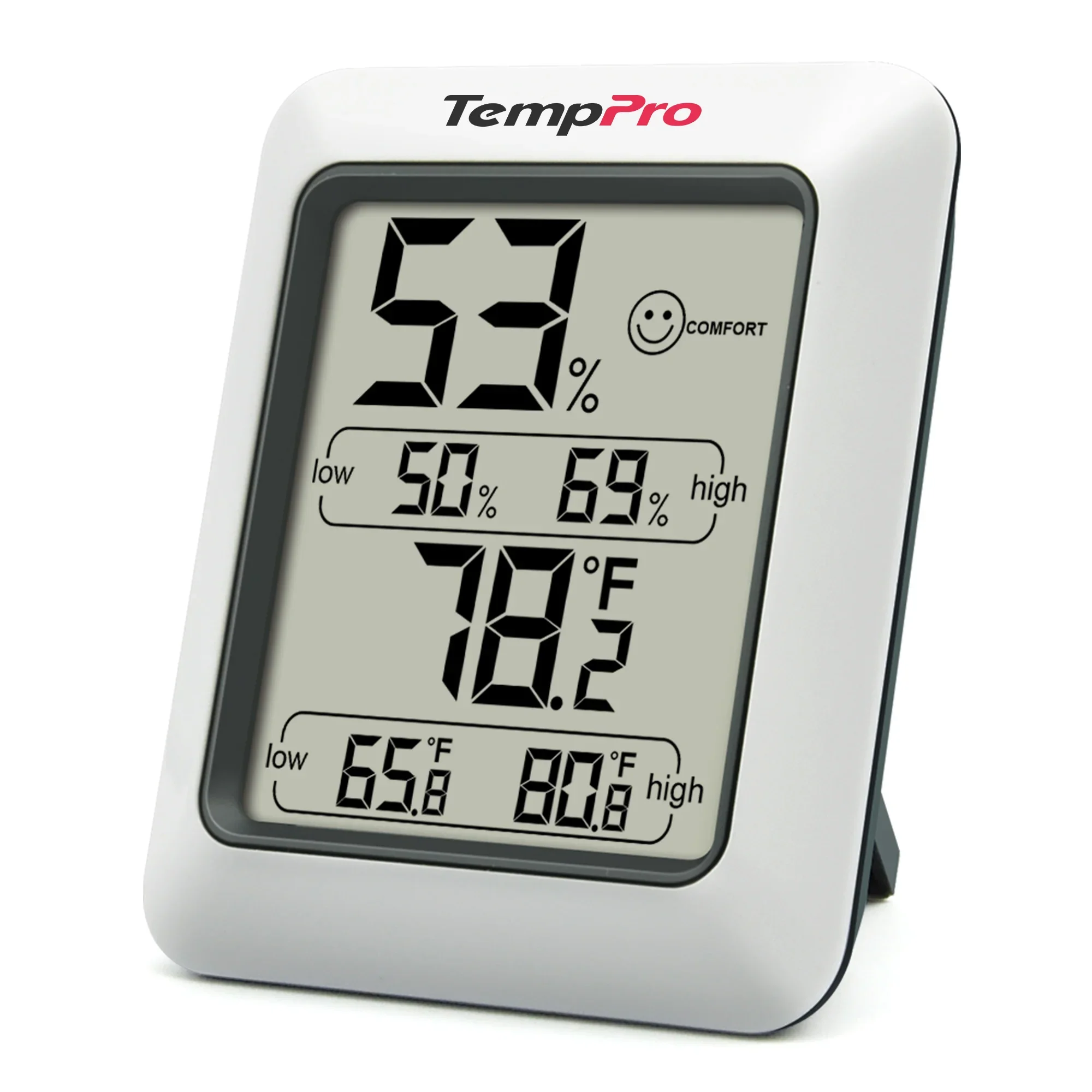
The TP49 shows the current temperature and humidity. The TP50 adds minimum and maximum readings, so you can see how far readings have moved since you last cleared the records. The TP55 also records these extremes, offers a daily reset mode and has a touch-activated backlight. All three display readings on the unit itself, without Bluetooth, Wi-Fi or support for remote sensors. [1] [2] [3] [4]
| Feature | TP49 | TP50 | TP55 |
|---|---|---|---|
| Current temperature and humidity | Yes | Yes | Yes |
| Minimum and maximum records | No | Since the last reset | Since the last reset, or with an automatic reset every 24 hours |
| Backlight | No | No | Yes; switches off after 15 seconds without a button press |
| Controls | Rear °C/°F button | Rear °C/°F and reset button | Front touch buttons |
| Trend arrows | No | No | Rising, falling or unchanged |
| Placement shown in the manual | Fold-out kickstand, magnet | Fold-out kickstand, magnet | Fold-out kickstand, magnet, wall mount |
| Power | 1 AAA battery | 1 AAA battery | 2 AAA batteries |
| Body dimensions listed by TempPro, mm | 55.5 × 66 × 15 | 79 × 66 × 24 | 110 × 85 × 25 |
Functions and power were checked against the model manuals; dimensions come from the current product pages. The TP49 and TP50 product pages also advertise wall mounting, but the reviewed manuals do not show it. This row lists the mounting options documented in those manuals. [1] [2] [3] [4]
02 · What remains after a reading changes
High and low records do not show duration
The TP50 retains its HIGH and LOW readings until you clear them manually by holding the rear button for two seconds. It does not reset them daily: without a reset, the display continues to show the extremes from the accumulated period. [2]
The TP55 has ALL TIME and 24 HRs modes. The first retains the extremes since the last reset; the second resets them automatically every 24 hours. Tap the front mode button to switch between them, or hold it for three seconds to clear the records. A reset every 24 hours is different from a continuously rolling window of the previous 24 hours. [3]
For example, a maximum of 65% RH tells you the highest displayed reading, but not whether it lasted minutes or hours. RH means relative humidity: the amount of water vapor in the air compared with saturation at the same temperature. A time-stamped graph requires a monitor that logs readings. That approach is covered in our TempPro Bluetooth hygrometer comparison.
03 · Display and placement
Only the TP55 has a backlight
The TP55 backlight is activated by a front touch button and goes out after 15 seconds without a button press. It lets you read the display in the dark, but does not stay on continuously. Temperature-unit selection and memory-mode controls are also on the front. The TP49 and TP50 have their control button on the back. [1] [2] [3]
At the time of our check, the TP50 product-page heading and FAQ still claimed backlighting and calibration. In response to Aridalia's editorial inquiry, the manufacturer confirmed that the TP50 has neither feature. The manual also shows no controls for them. We therefore treat the TP50 as a model without a backlight or a user-adjustable calibration offset. [2] [5]
Each monitor measures the air where it is placed. The magnet attaches it to a suitable metal surface; a fold-out kickstand supports it on a shelf or table. Placement determines which part of the room a reading represents: air beside a window, heater or humidifier outlet may not represent the whole room. Our humidity sensor guide explains placement and how to compare readings.
04 · Reading the specifications
Display resolution and accuracy are different
All three manuals specify a humidity display step of 1%, a temperature step of 0.1 °F or 0.1 °C, and readings that refresh every 10 seconds. The display step describes the smallest change shown on screen. It does not establish measurement error. [1] [2] [3]
| Product-page claim | TP49 | TP50 | TP55 |
|---|---|---|---|
| Humidity accuracy | ±2 percentage points at 30-80% RH; otherwise ±3 points | ±2 percentage points at 30-80% RH; otherwise ±3 points | ±2 percentage points at 30-80% RH; otherwise ±3 points |
| Temperature accuracy | ±0.9 °F at 32-140 °F; otherwise ±1.8 °F | ±1 °F | ±1 °F |
| Humidity range | 10-99% RH | 10-99% RH | 10-99% RH |
| Temperature range | −58 to 158 °F (−50 to 70 °C) | −58 to 158 °F (−50 to 70 °C) | −58 to 158 °F (−50 to 70 °C) |
These are the manufacturer's current product-table claims, not Aridalia test results. The measurement ranges also appear in the model manuals. The TP50 and TP55 product tables do not separately specify conditions for their temperature-accuracy claims. [1] [2] [3] [4]
At about 50% RH, a claimed error of ±2 percentage points means roughly two display steps, rather than 2% of the number 50. Two monitors agreeing with one another does not by itself prove either is accurate; checking accuracy requires a reliable reference value.
The manufacturer's documents still differ. The TP50 Accuracy support article gives ±3% RH and ±2 °F, while the FAQ in the TP55 manual gives ±3% RH without a range. Those figures differ from the current product tables. They do not establish an accuracy advantage for one model. Our selection is based on memory, lighting and controls. [3] [6]
05 · The indicator beside the numbers
Comfort uses different rules
On the TP49 and TP50, COMFORT appears at 30-60% RH and 68-79 °F (20-26 °C). If humidity is within that band but temperature is outside it, the icon can be absent. The TP55 manual links COMFORT to 30-60% RH without that temperature condition. Different icons on neighboring units therefore do not necessarily mean their measurements differ. [1] [2] [3]
These are manufacturer-selected indicator thresholds. COMFORT does not replace an assessment of conditions in the home. Use the numerical temperature and humidity readings.
06 · Before buying
Choose by the function you need
TP49 shows current readings in a compact body: its listed dimensions are smaller than the TP50 and TP55. TP50 adds high and low records that you clear manually. TP55 is the choice when you need a backlight, front controls or automatic daily resets of those records. These min/max functions do not replace a time-stamped log.
TempPro lists a one-year limited warranty, extended to three years after registration. Not registering does not remove the basic one-year coverage. Proof of purchase is required for a claim. [7]
Links lead to model pages in TempPro's US store. The number of monitors in a pack depends on the order option selected.
07 · Short answers
Questions about the TP49, TP50 and TP55
Can you calibrate the TP50?
The TP50 has no user-adjustable calibration offset. The manufacturer confirmed this in response to Aridalia's editorial inquiry, and the manual describes no such function. Checking a reading and adjusting an offset are different operations.
Which model has a backlight?
The TP55 has a touch-activated backlight that switches off after 15 seconds without a button press. The TP49 and TP50 have no backlight.
Does the TP50 keep a daily history?
The TP50 retains only the minimum and maximum readings since the last manual reset, without an event time. It has neither an automatic daily reset nor a graph.
Can you check readings on a phone?
No. The TP49, TP50 and TP55 show readings on their own displays and do not connect to an app. Viewing and logging readings in an app requires a different type of monitor, such as a Bluetooth hygrometer.
08 · Basis of the comparison
Sources and verification
We compared the current US TempPro product pages, complete model manuals, official support material and a written manufacturer clarification. The technical sources below come from the manufacturer, not independent testing. Aridalia did not physically test these monitors. Product pages and warranty terms were checked on November 5, 2026.
- TP49 manual (PDF, English and French): parts, placement, indicators, power and ranges.
- TP50 / TP50-2 manual (PDF), version 50-V20260528: controls, records and specifications.
- TP55 manual (PDF), version 55-V20260529: backlight, memory modes, indicators and specifications.
- Current TP49, TP50 and TP55 product pages: dimensions and accuracy claims. Manufacturer photographs are used with permission.
- TempPro's response to Aridalia's editorial inquiry, prepared November 2, 2026, and received November 5: the TP50 has neither a backlight nor a calibration function.
- TempPro Support: TP50 Accuracy. The comparison uses the version saved October 30, 2026; automated retrieval was unavailable when rechecked November 5.
- TempPro warranty policy and product registration.